Overview
Garage Ware is a self-hosted management console for a Garage S3-compatible storage cluster. Garage gives you the storage; Garage Ware gives you the front door — accounts, buckets, access keys, node health, and a record of who is entitled to how much space.
It ships as a single Docker image with everything inside it (web app, database, file
storage, reverse proxy) and one /data volume to back up.
Two sides of the console
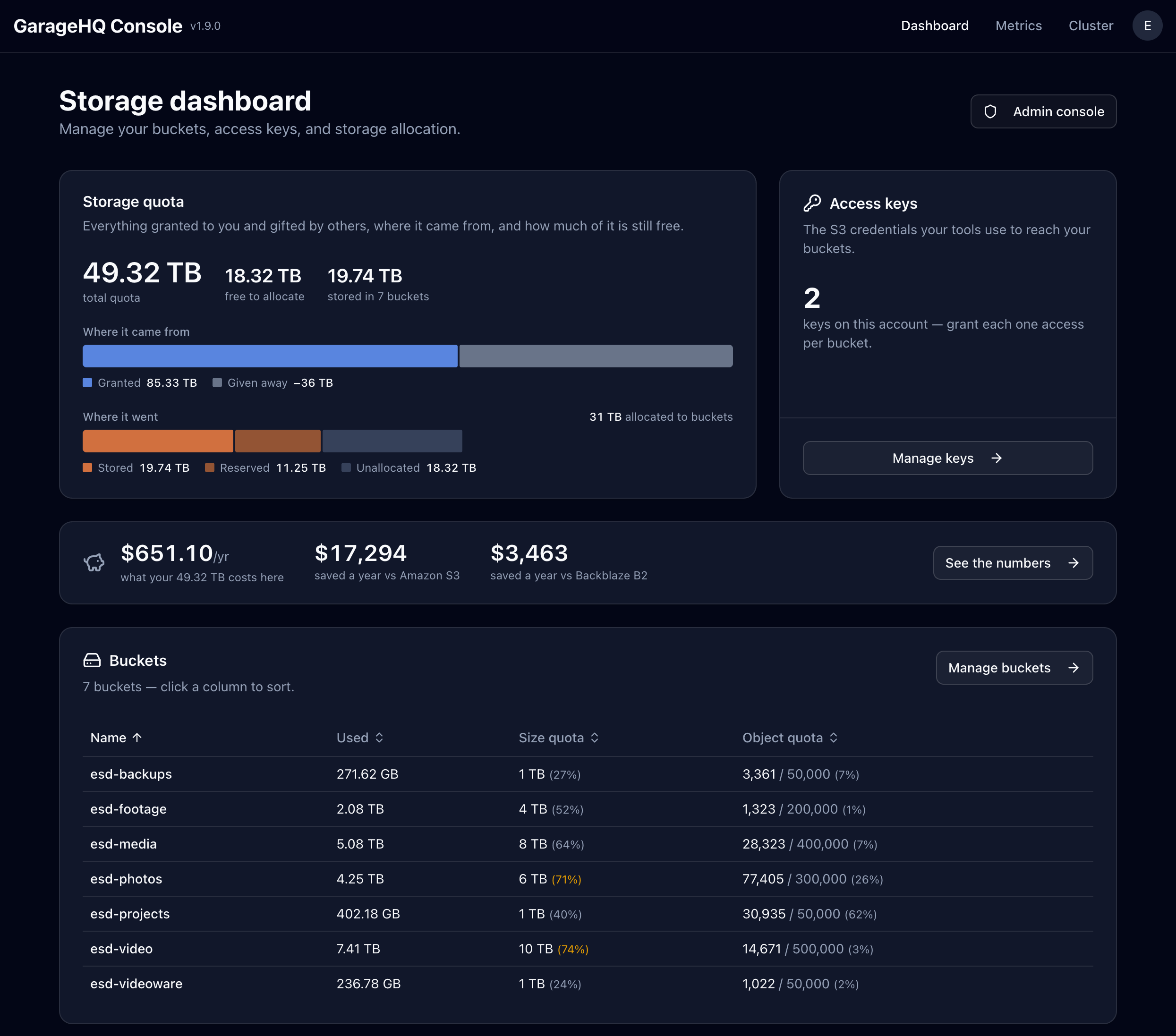
The dashboard is what everyone using the cluster sees: their buckets, a built-in object browser, the connection details and access keys for pointing an S3 client at them, and how much of their storage they've used.
The admin area is for whoever runs the cluster: cluster status and layout, per-node metrics, users and invites, bucket and key reconciliation, quota audits, background repairs, and the storage ledger.
Storage as a ledger
Most consoles store a quota as a number you overwrite. Garage Ware stores an append-only ledger instead: every grant is a signed entry against one user on one node, in logical post-replication GB, and a user's entitlement is the sum of their entries. Reclaiming space appends a negative entry rather than editing history, so how someone ended up with the space they have stays auditable.
That model makes shared clusters work:
- Node owners. Someone who contributed hardware claims their node by proving access to it, and can then grant storage from it — to themselves or to anyone else. Ownership decides who may grant, never how much: an owner's write passes the same invariants an administrator's does, so a node can't be over-claimed by the person who donated it.
- Transfers. Users can hand quota to each other directly, with the ledger recording both sides.
- Audits. Quota and claim audits compare the ledger against what the cluster is
actually doing, and
/admin/statusreports anything misconfigured with the fix for each.
Running the cluster
The admin area proxies the Garage admin API server-side, so operators get the cluster without a terminal:
- Nodes and layout — connected nodes, zones, capacity, and live health
- Metrics — per-node metrics scraped and charted over time
- Repairs — scrub, rebalance, and block repair, started and watched from the UI
- Events — a cluster event log
- Buckets and keys — create, inspect, set per-key permissions and expiry, and reconcile or import objects that already exist in Garage but aren't tracked yet
Getting started
You need a running Garage cluster with a layout applied, and an admin token for it:
garage admin-token create --name garage-wareThen bring up the console from a checkout:
git clone https://github.com/make-ware/garage-ware.git
cd garage-ware

cp .env.docker.example .env.docker   # GARAGE_ADMIN_URL, GARAGE_ADMIN_TOKEN, GARAGE_S3_ENDPOINT
docker compose up -d
Releases publish a multi-arch (amd64 + arm64) image to
ghcr.io/make-ware/garage-ware. Pin a version instead of tracking latest by setting
the tag to ghcr.io/make-ware/garage-ware:v1.9.0.
Claim the instance
On first run the container prints a setup banner with a URL and a one-time claim token:
docker compose logs garage-ware | grep '\[setup\]'Open the URL, create your account, paste the token — you are now the administrator.
/admin/status then reports anything still misconfigured.
Three things worth knowing before you invite anyone:
- Sign-up is invite-only by default (
SIGNUP_MODE). While no administrator exists it stays open so you can create the account you'll claim with — which is why claiming promptly matters. - Email needs configuring in the PocketBase mail settings, or invites and password resets silently never arrive.
- A new user has no storage until you grant them a claim from Admin → Claims.
Backups
Everything that needs to persist lives under /data — the database, uploaded files, the
generated superuser password, and first-run state. To back up, snapshot the directory:
tar czf backup.tgz -C $PWD dataTo restore on a new host, copy the tarball over, extract it, and bring the container up against the same path.
License
Garage Ware is released under the MIT License.