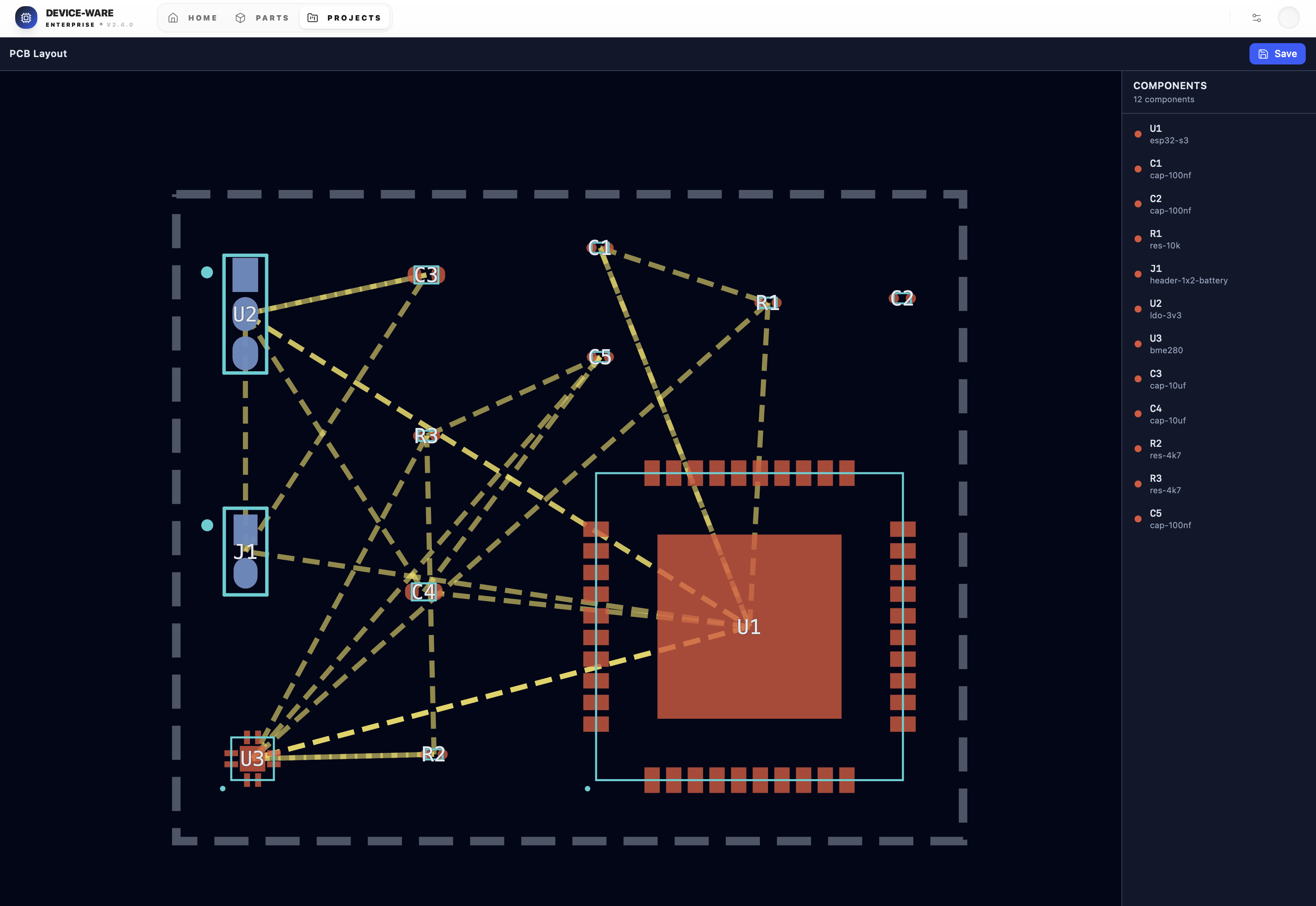
Overview
Device Ware is a PCB schematic editor and hardware design tool. Define projects in a Feature Design Language (FDL), maintain a parts library with inheritance and dependencies, run candidate selection and wiring, then generate netlists and PCB layout (SVG). Includes a REST API, CLI, and React UI with a project wizard and parts library editor.
Features
- Project specs (FDL) — JSON-based constraints, connectivity, and outputs
- Parts library — Versioned JSONL store; part definitions with attributes, ports, pins, dependencies, and FDL constraints
- Candidate selection — Match parts to project constraints via attribute rules
- Wiring engine — Build wired schematics and persist to the store
- Netlist & layout — Generate netlists and SVG board layout
- REST API — Projects, parts, candidates, wire, netlist, layout, SVG
- CLI — Create projects, list parts, select candidates, wire, generate netlist/SVG
- Web UI — Project wizard, parts library, schematic/PCB viewers
Prerequisites
- Bun v1.3+
Install
bun installScripts
| Command | Description |
| --------------- | --------------------------------- |
| bun dev | Start dev server (API + frontend) |
| bun start | Run production server |
| bun run build | Build for production |
| bun test | Run the test suite |
CLI
Use the CLI from the project root (default store path: ./data):
bun src/cli.ts <command> [arguments]| Command | Description |
| ---------------------------------- | ---------------------------------- |
| create-project <spec-file> | Parse FDL JSON and persist project |
| list-parts | Print parts library table |
| select-candidates <project-id> | Run candidate selection |
| list-versions <data-file-path> | List versions for a JSONL path |
| wire-project <project-id> | Run wiring and persist schematic |
| generate-netlist <project-id> | Generate and persist netlist |
| generate-svg <project-id> <path> | Render layout SVG to file |
Set STORE_PATH to use another data root:
STORE_PATH=./my-data bun src/cli.ts list-partsData layout
- Projects —
projects/<name>/projects.jsonl(versioned) - Parts —
parts/parts.jsonl(single versioned library) orparts/<lib>/parts.jsonl(e.g.parts/core/) - Schematics —
projects/<id>/schematics/schematic.jsonl - Netlists / layouts — under
projects/<id>/as per API
See the project’s versioning guide for JSONL store versioning behavior.
API
With the dev server running, the API is available at the same origin (e.g. http://localhost:3000). Key routes:
GET/POST /api/projects,GET /api/projects/:idPOST /api/projects/:id/candidates— candidate selectionPOST /api/projects/:id/wire— wire projectGET /api/projects/:id/netlist,GET/PUT /api/projects/:id/layout,GET /api/projects/:id/svgGET/POST /api/parts,GET/PUT/DELETE /api/parts/:id,POST /api/parts/validate
Docs
Project documentation covers JSONL store versioning and the core parts library overview.